ecs_gfx_zig — ECS Architecture & Software 3D Graphics in Zig
I've been tinkering with Zig by building ecs_gfx_zig — a project that combines a hand-rolled Entity-Component-System (ECS) framework with a software-rendered 3D graphics pipeline using SDL2. Everything is written from scratch in pure Zig — no external Zig packages, no GPU, just the CPU and some math.
What's in the box?
The project has two halves that build on each other:
ECS Framework (src/ecs/)
A minimal but functional ECS implementation with generational entity IDs, sparse-set component storage, comptime-generic type-safe queries, and a stage-based system schedule. The API is intentionally simple:
Key design decisions:
- Generational indices — entity IDs carry a generation counter, so stale references are detectable
- Sparse-set storage — fast O(1) component lookup, cache-friendly iteration
- Comptime queries — query types are resolved at compile time, no runtime type info overhead
- Stage-based schedule — systems are ordered by execution stage, with the full ECS loop driven by
app.zig
Software 3D Renderer (src/gfx/)
A CPU rasterization pipeline from the ground up. No GPU, no OpenGL, no WebGPU — just pixels being written to an SDL surface one triangle at a time.
- MVP transforms — model-view-projection matrix pipeline using hand-written Vec3/Vec4/Mat4 math
- Scanline triangle fill — with barycentric color interpolation across the face
- Painter's algorithm — depth-sorting triangles back-to-front for correct occlusion
- STL file parser — reads both binary and ASCII STL files for loading 3D models
Demos & Examples
The project ships with several example executables to show different aspects of the code.
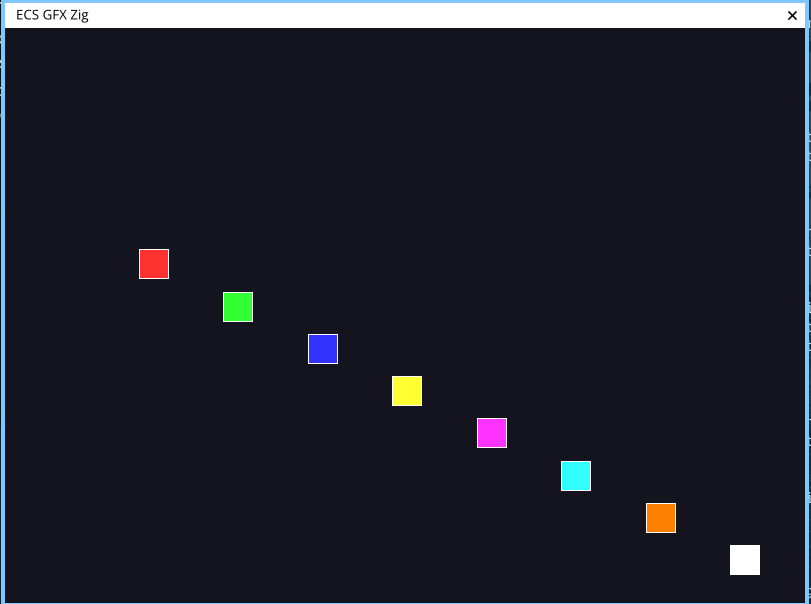
1. Bouncing colored boxes (default demo)
zig build run launches a 2D ECS demo: entities with Position, Velocity, and Color components bounce
around the screen. Each frame the schedule runs movement and rendering systems in order. This is the simplest
way to see the ECS loop in action.
2. STL file viewer
zig build stl_viewer -- path/to/model.stl loads an STL mesh and displays it with orbit controls (drag to
rotate, scroll to zoom). The model is rasterized entirely on the CPU — every triangle is projected, clipped, and filled
by the software renderer.
3. Multi-viewport 3D viewer (ECS)
zig build example_multi_3d_window demonstrates the ECS architecture driving 3D rendering. Multiple
camera entities observe the same scene from different angles, each rendering into its own viewport.
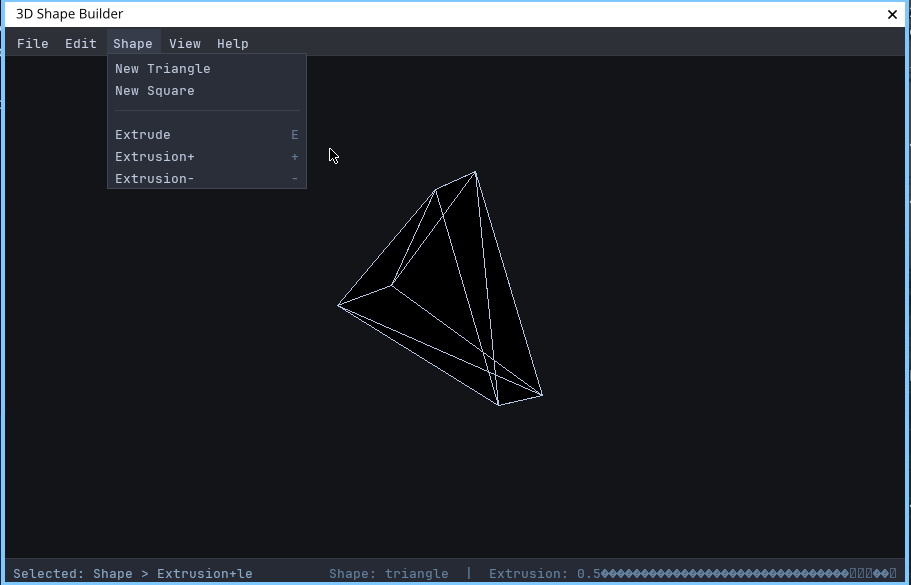
4. Menu-bar shape builder
Two variants — zig build winmenu (traditional) and zig build winmenu_ecs (ECS version) —
show a menu-driven shape builder. You can place colored triangles and rectangles on a canvas. The ECS version
treats each shape as an entity with Position, Size, and Color components, while the menu and input handling are
systems in the schedule.
Project structure
Why do this?
This was purely a learning exercise. I wanted to understand two things deeply:
- How ECS architectures work under the hood — archetypes vs sparse sets, generational handles, query iteration
- How 3D graphics pipelines work without a GPU — vertex transformation, rasterization, depth sorting
Writing both from scratch in Zig means there's no magic. The matrix multiplication that projects a vertex onto your
screen is a for loop in src/math/mat.zig. The triangle that gets filled pixel-by-pixel
is a scanline loop in src/gfx/mesh.zig. The entity you spawn and query is managed by a sparse set in src/ecs/world.zig.
Dependencies
You need Zig 0.15.2+, SDL2, and optionally SDL2_ttf (for the menu examples). No external Zig packages are used — every line of ECS logic, math, and rendering is in the repository.